
Brite asks employees about their situation, recommends the plans that fit and explains why, so they enroll with confidence.
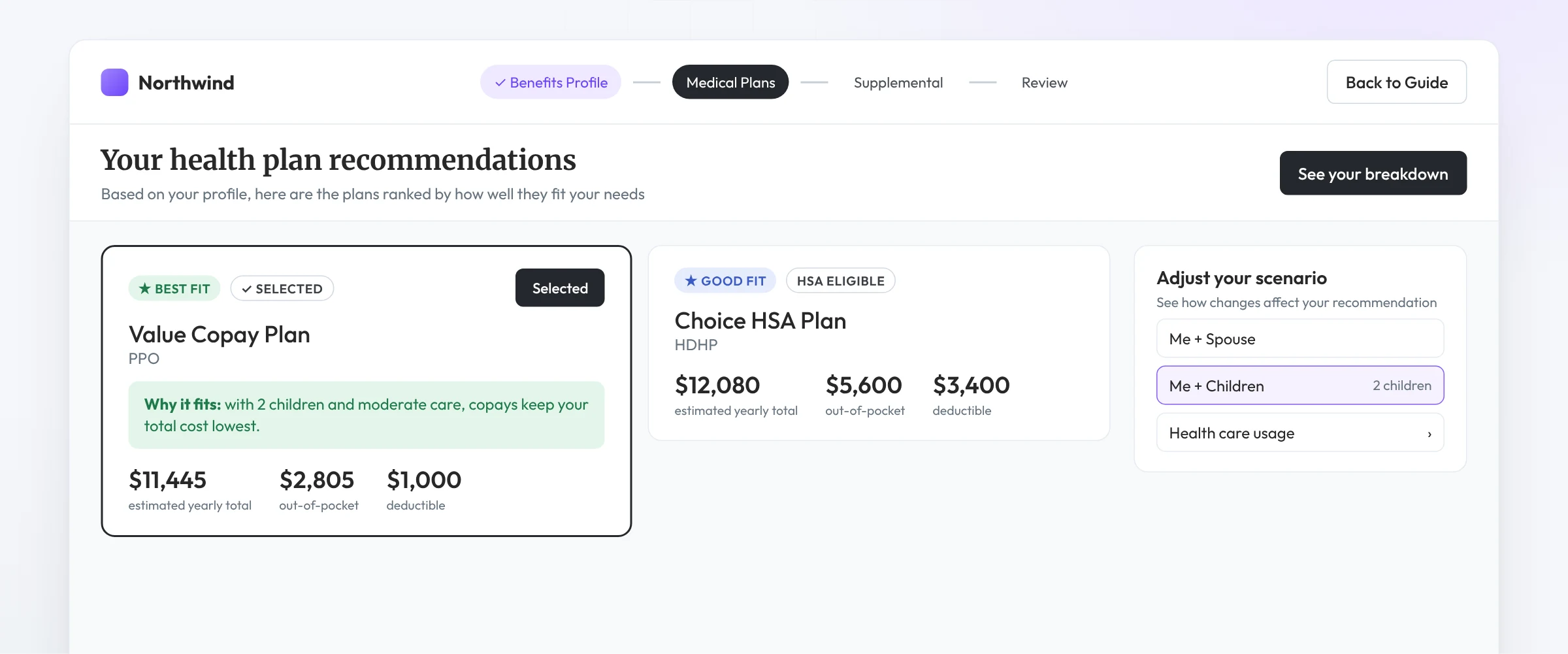
Recommend
A short question flow, cost modeling across every plan option, and a clear answer they can trust because it shows its reasoning.
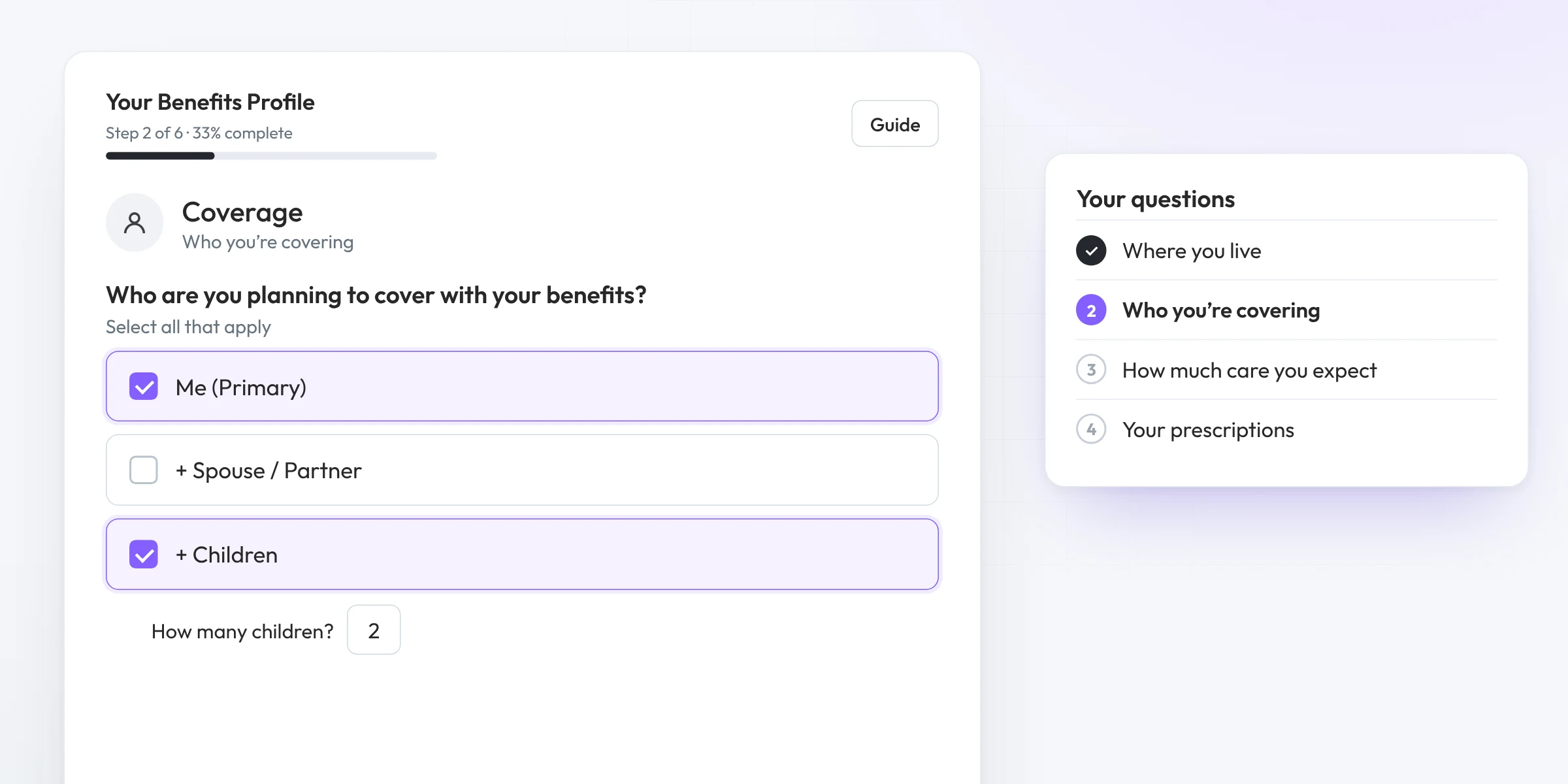
Where they live, who’s enrolling, how much care they expect, and their prescriptions. No benefits vocabulary needed.
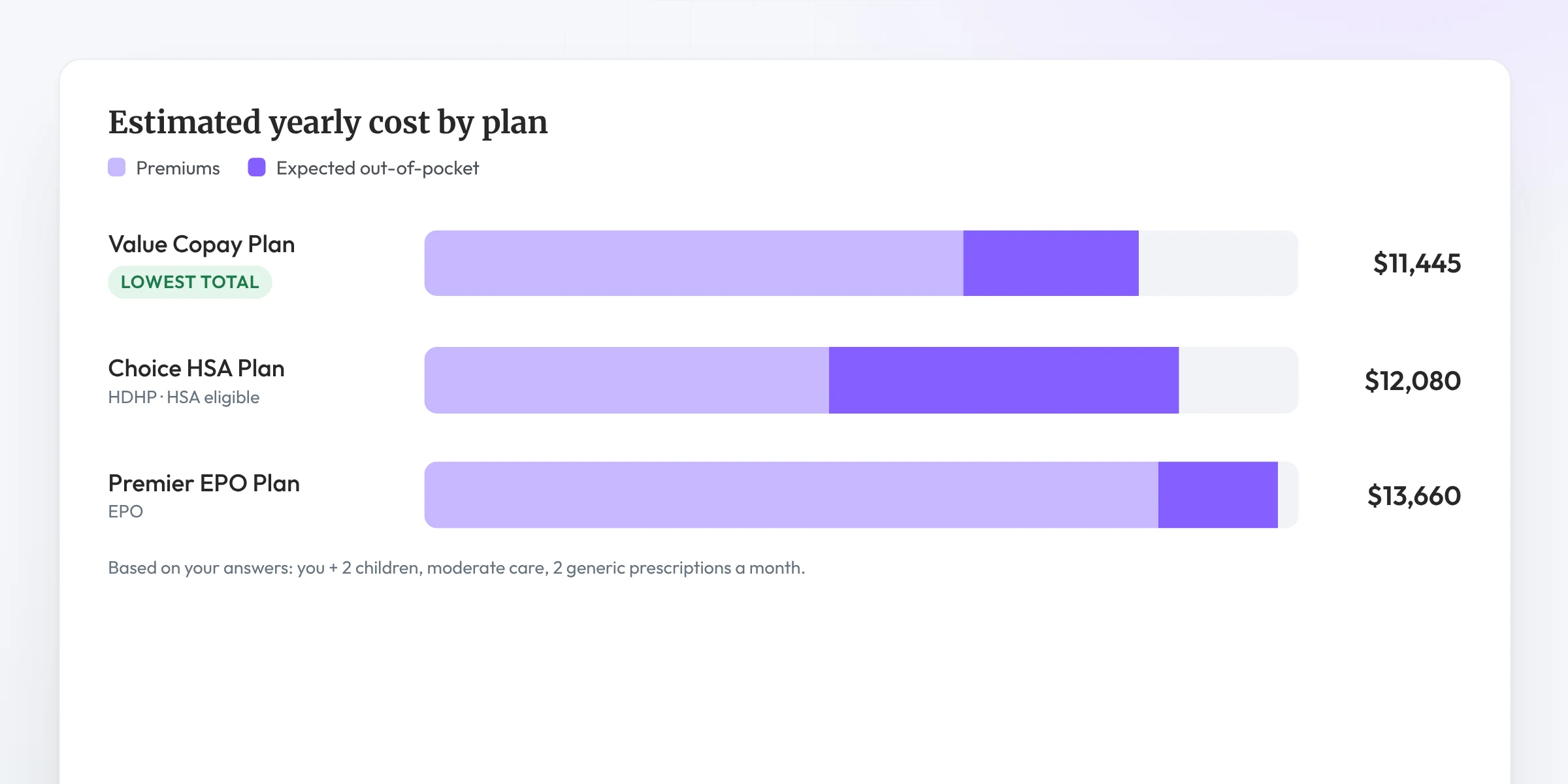
Brite estimates out-of-pocket costs for each medical option, so a PPO and an HDHP are compared on what they’d actually spend, not just the premium.
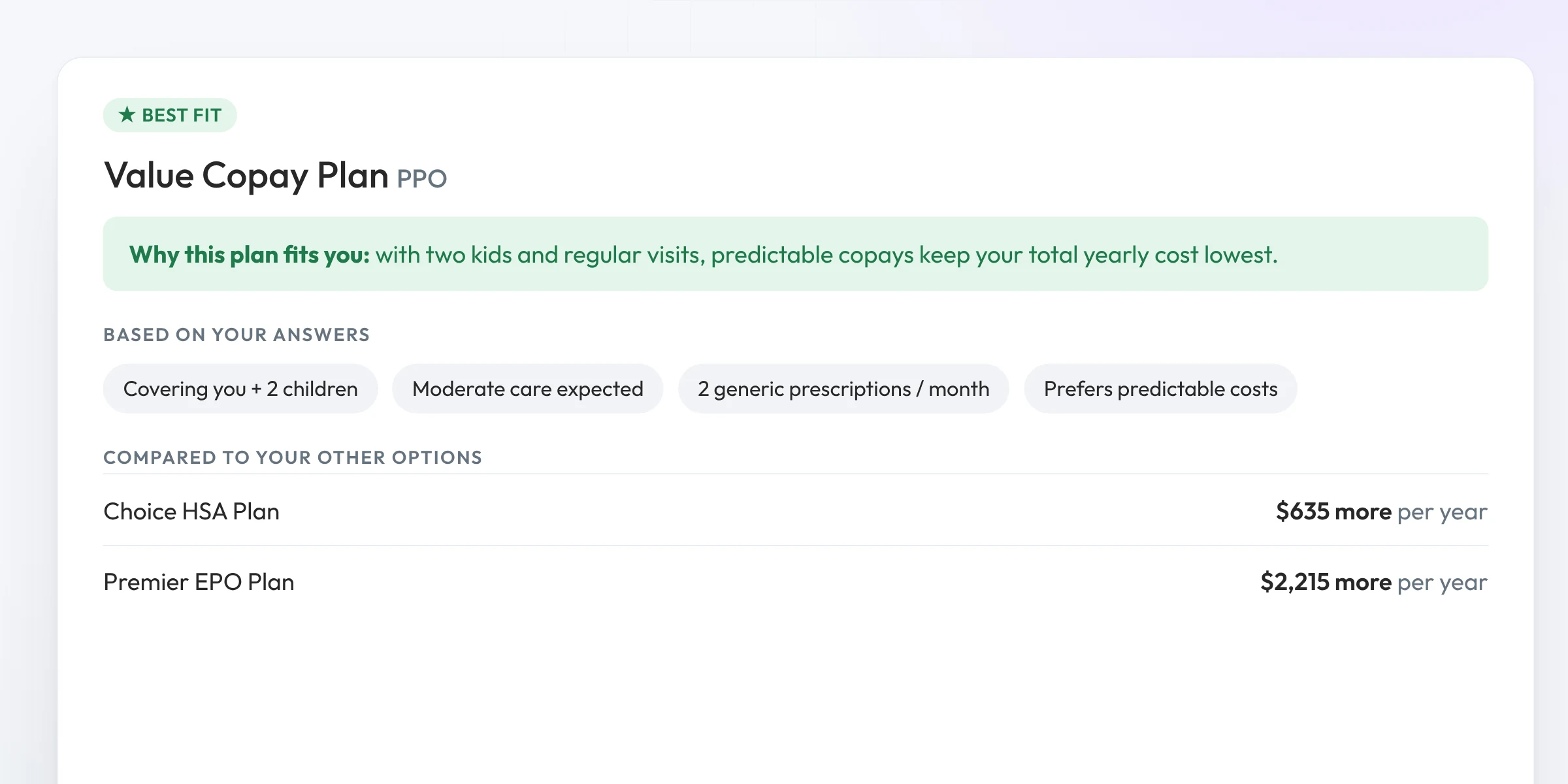
Each recommendation shows which answers led to it and how it compares to the alternatives.
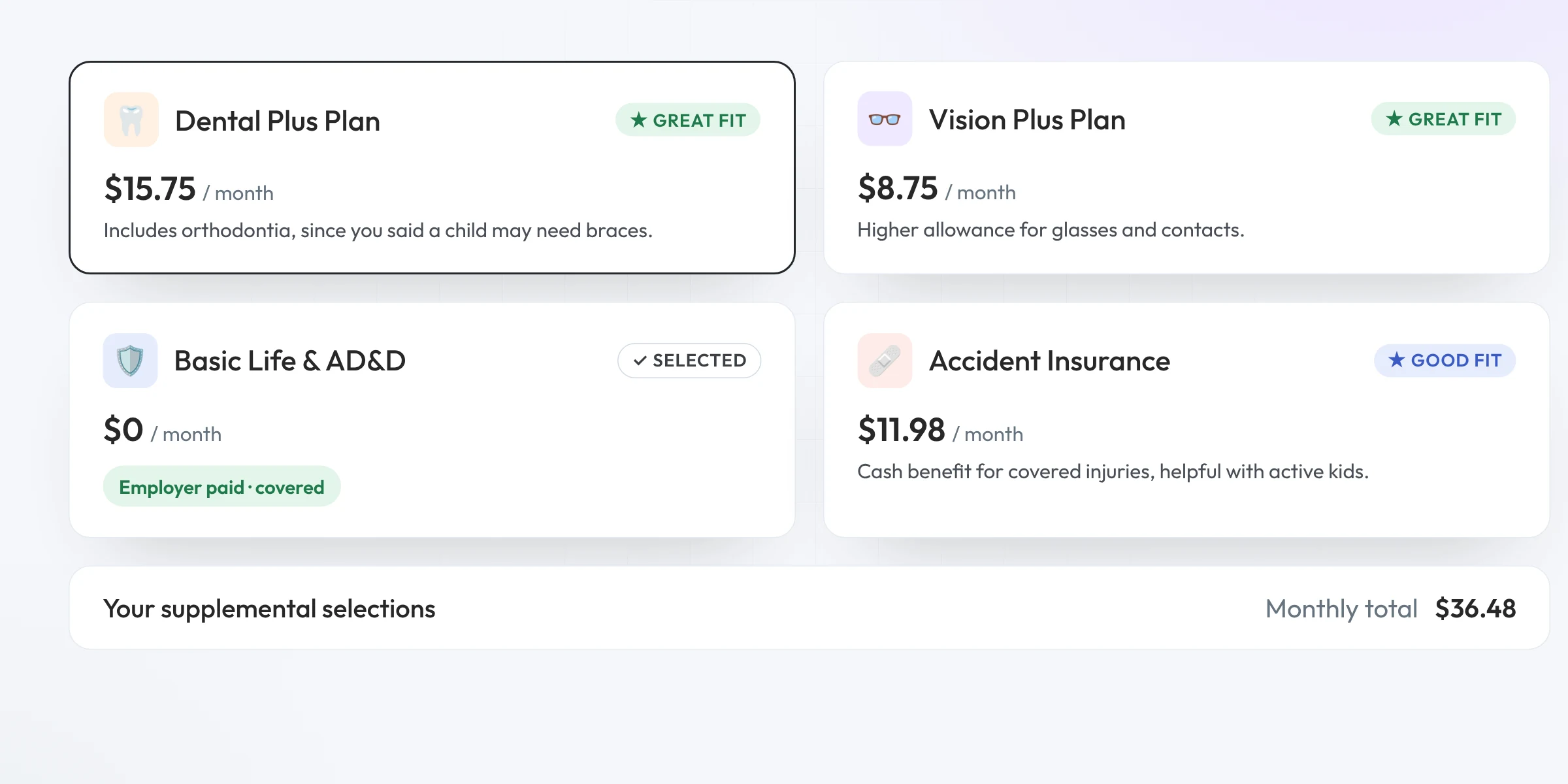
Dental (including orthodontia needs), vision and supplemental recommendations. Employer-paid plans show as covered and are selected for them.
Calculate
Picking a plan is half the decision. Built-in calculators help employees decide how much to set aside and how much coverage to carry.
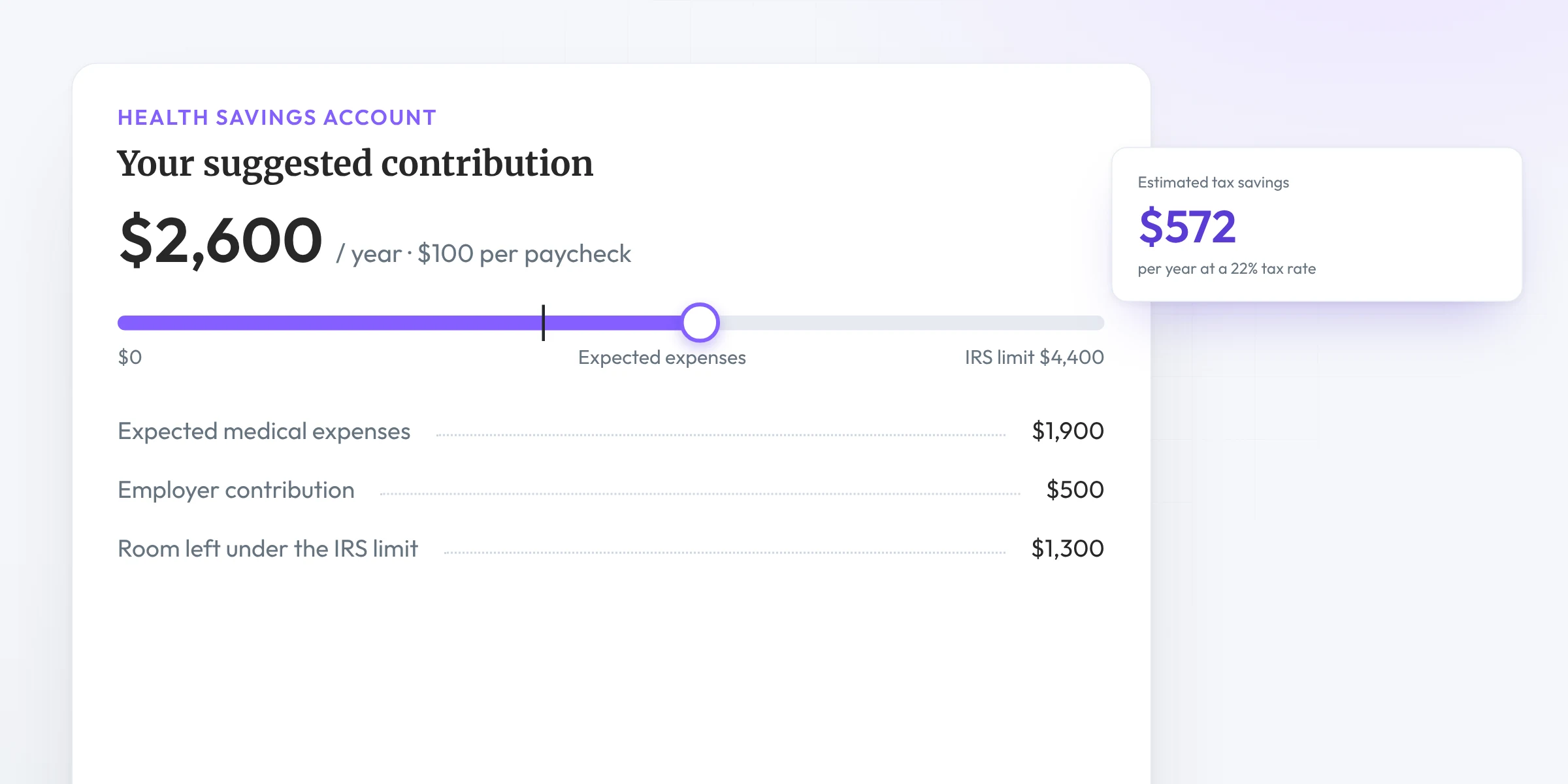
Suggests a contribution based on expected expenses, the IRS limit and any employer contribution, then shows the tax they’d save.
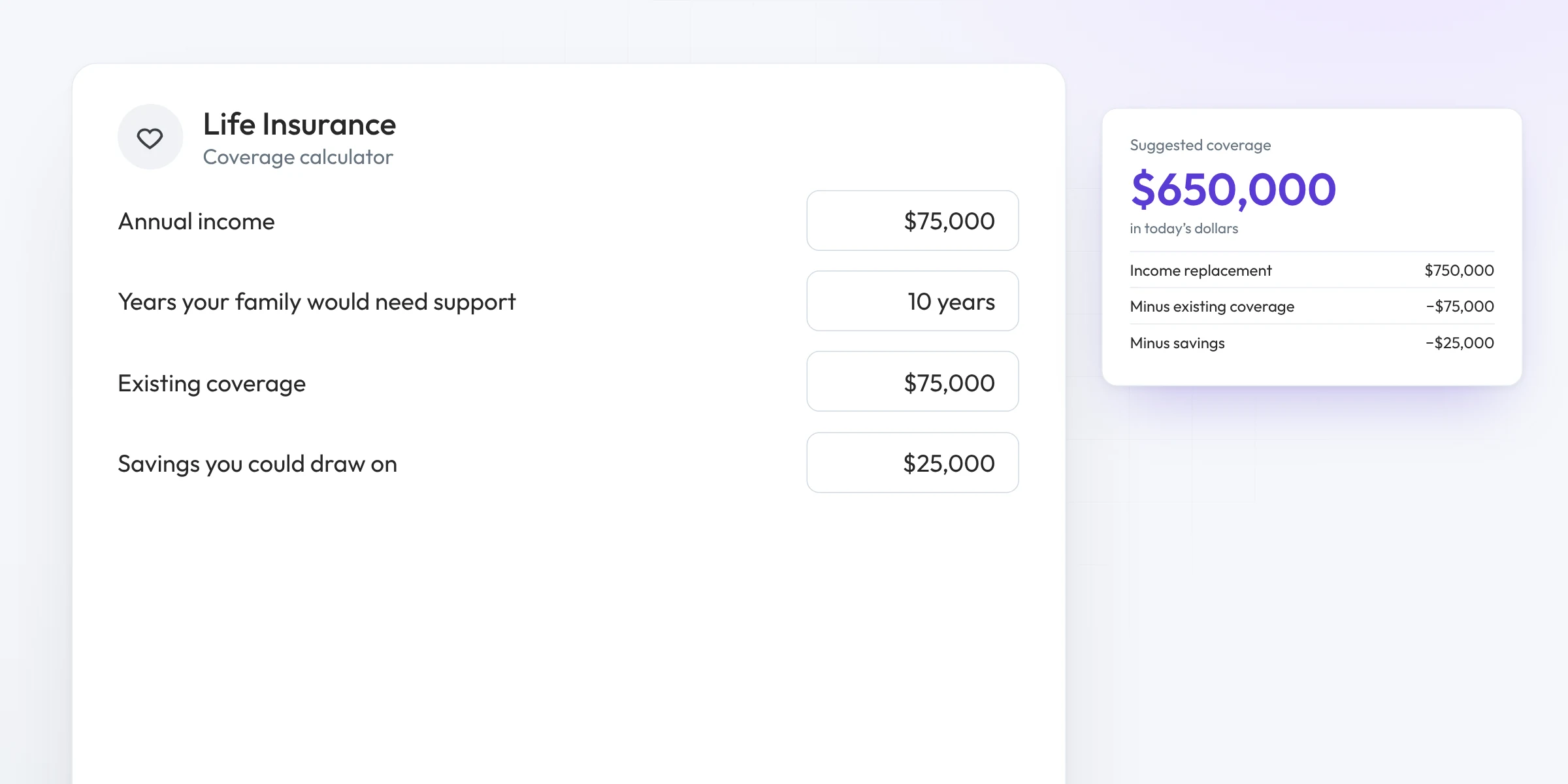
Estimates the coverage needed to replace income for the years their family would need it, in today’s dollars.
AI Benefits Assistant
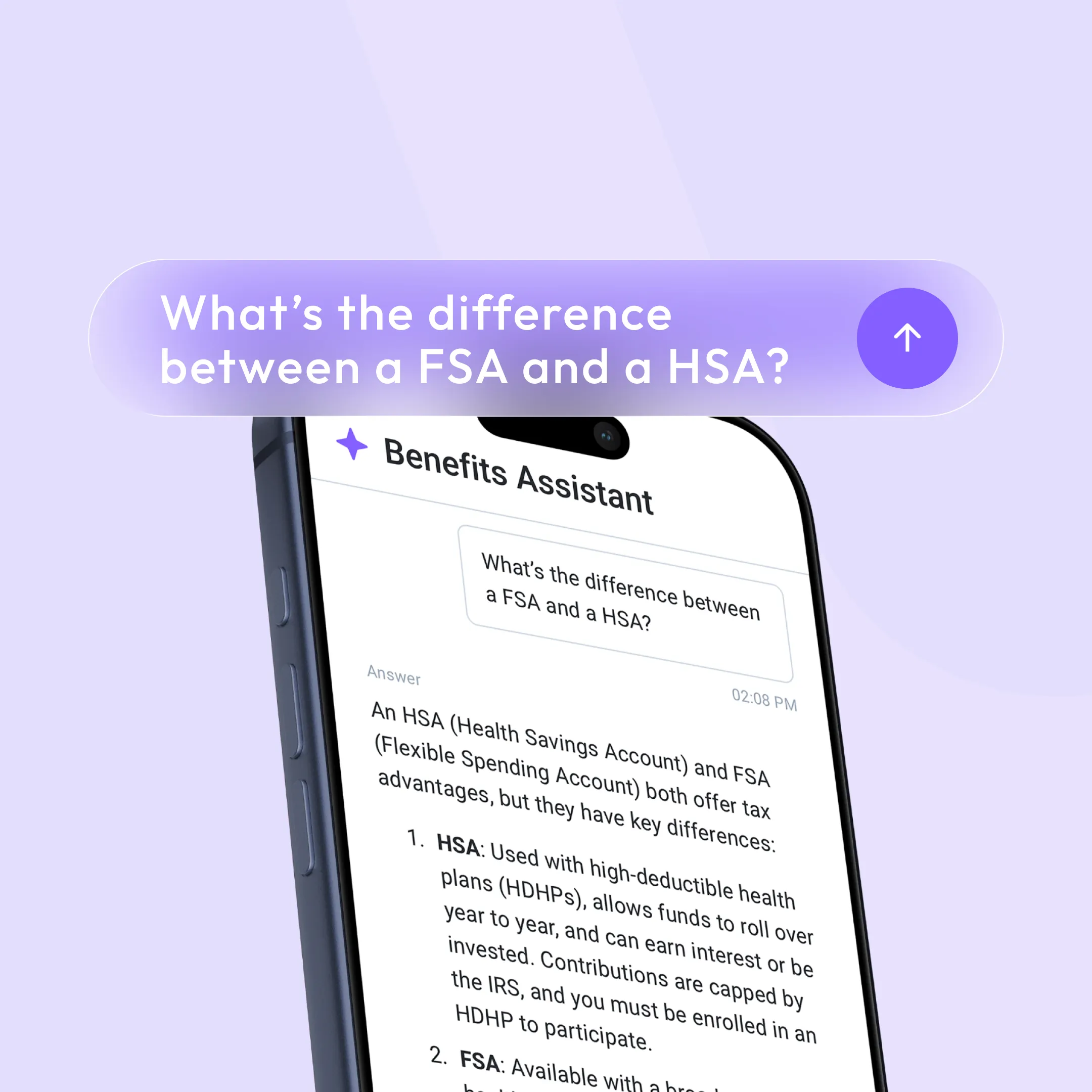
When an employee asks the Assistant which plan to pick, the same question flow runs step by step inside the conversation.
For brokers and HR teams
Decision support lives inside the Brite guide you already build, with the controls you need for each client.
Turn decision support on for the groups that want it.
Hide a product from recommendations or mark it employer-paid.
An Enroll now button sends employees to your ben admin system.
Track decision tool completions and enrollment clicks in Brite analytics.
No health records required. Employees answer general questions about their situation. Brite doesn’t collect PII or PHI to make a recommendation.
FAQ
A short question flow inside the Brite guide. Employees answer questions about their situation, and Brite recommends the medical, dental, vision and supplemental plans that fit, with the reasons why.
Where they live, who they’re enrolling, how much care they expect and any regular prescriptions. It takes a few minutes and no benefits knowledge.
No. Employees answer general questions, and Brite doesn’t collect PII or PHI to make a recommendation.
No. It recommends plans. The Enroll now button takes employees to your ben admin system to finish enrolling.
Yes. Turn it on or off for each client, hide a product from recommendations, or mark a plan employer-paid. For changes to question wording, talk to our team.
See decision support inside a real Brite guide.
Book a demo