
An AI assistant inside your guide or microsite. Employees ask in plain language and get answers from your own benefits content, compared in tables, read aloud in any language, and turned into a plan recommendation.
How it works
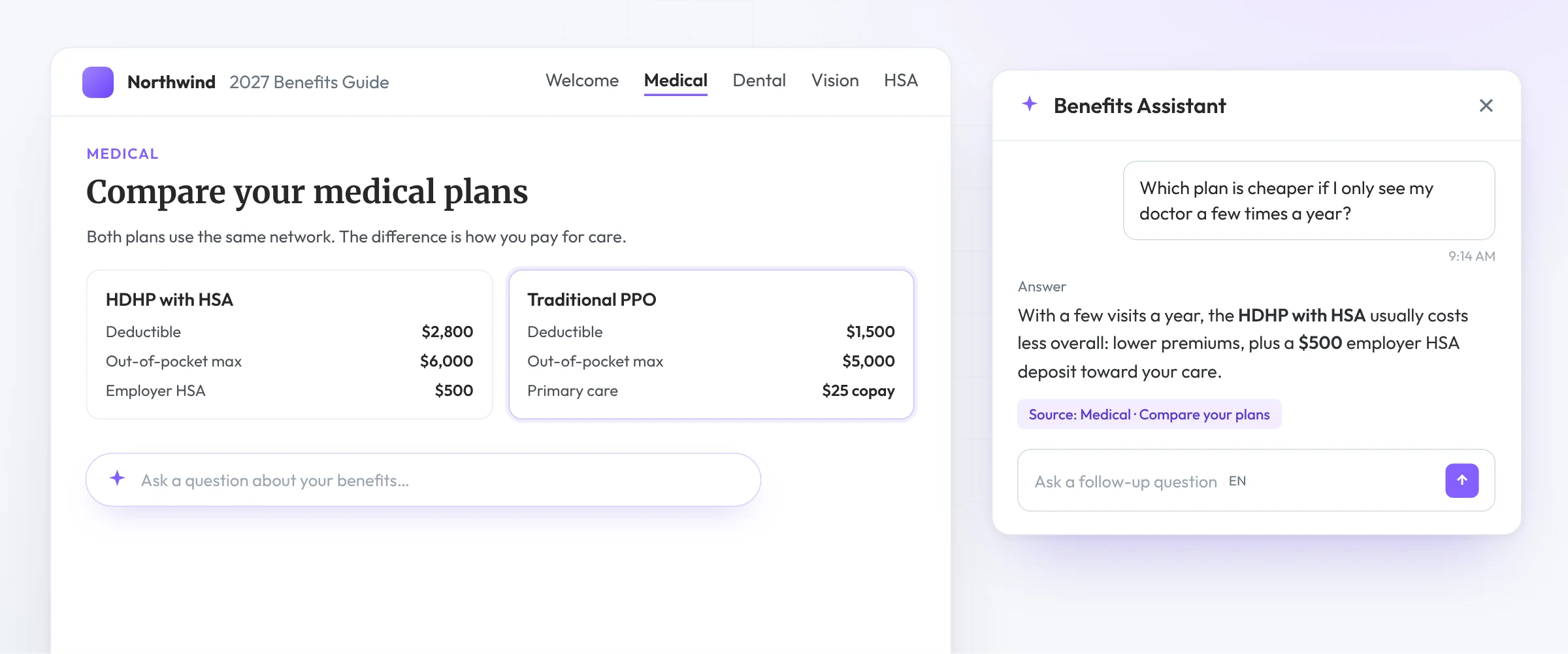
The Assistant sits alongside your Benefit Guide and microsite and answers from your benefits content, so employees never lose their place.
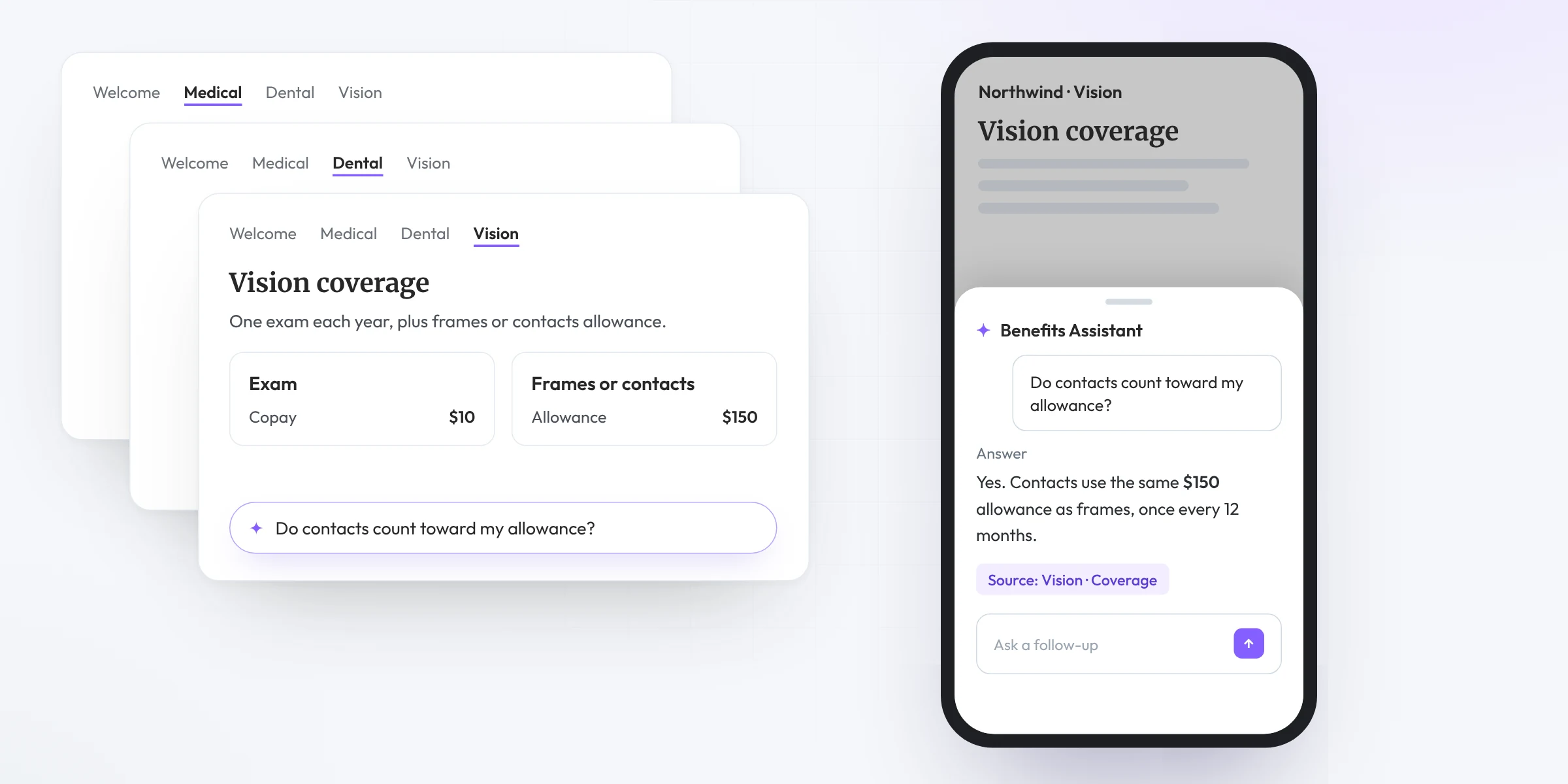
A chat input travels with employees through the guide. Answers open in a side panel so the guide stays in view, and on mobile in a drawer that stays out of the way.
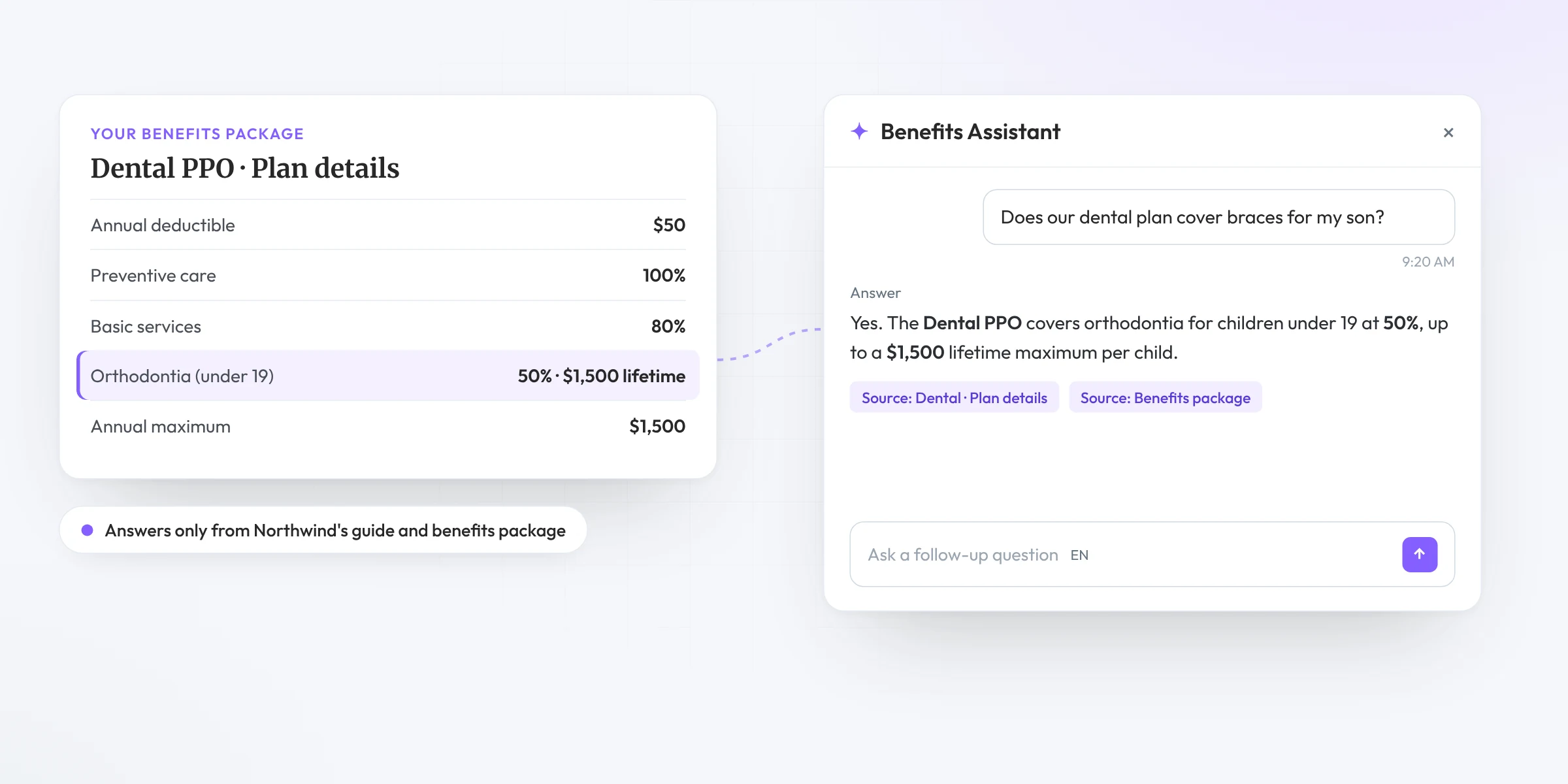
Responses come from your guide and benefits package, not the open internet, so employees get your plan details.
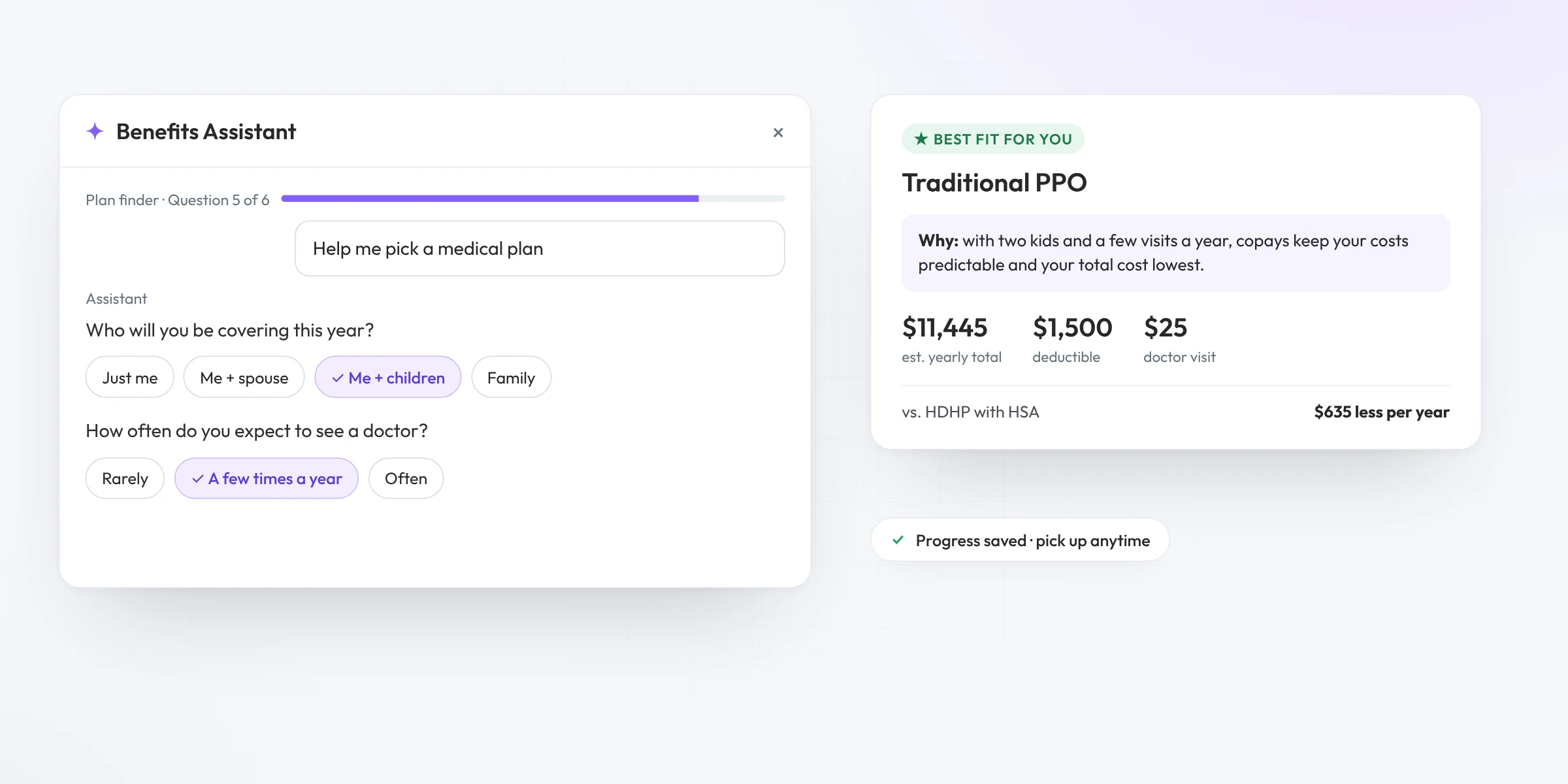
The Decision Tool runs step by step inside the conversation, saves progress and explains in plain language why a plan was recommended and how it compares.
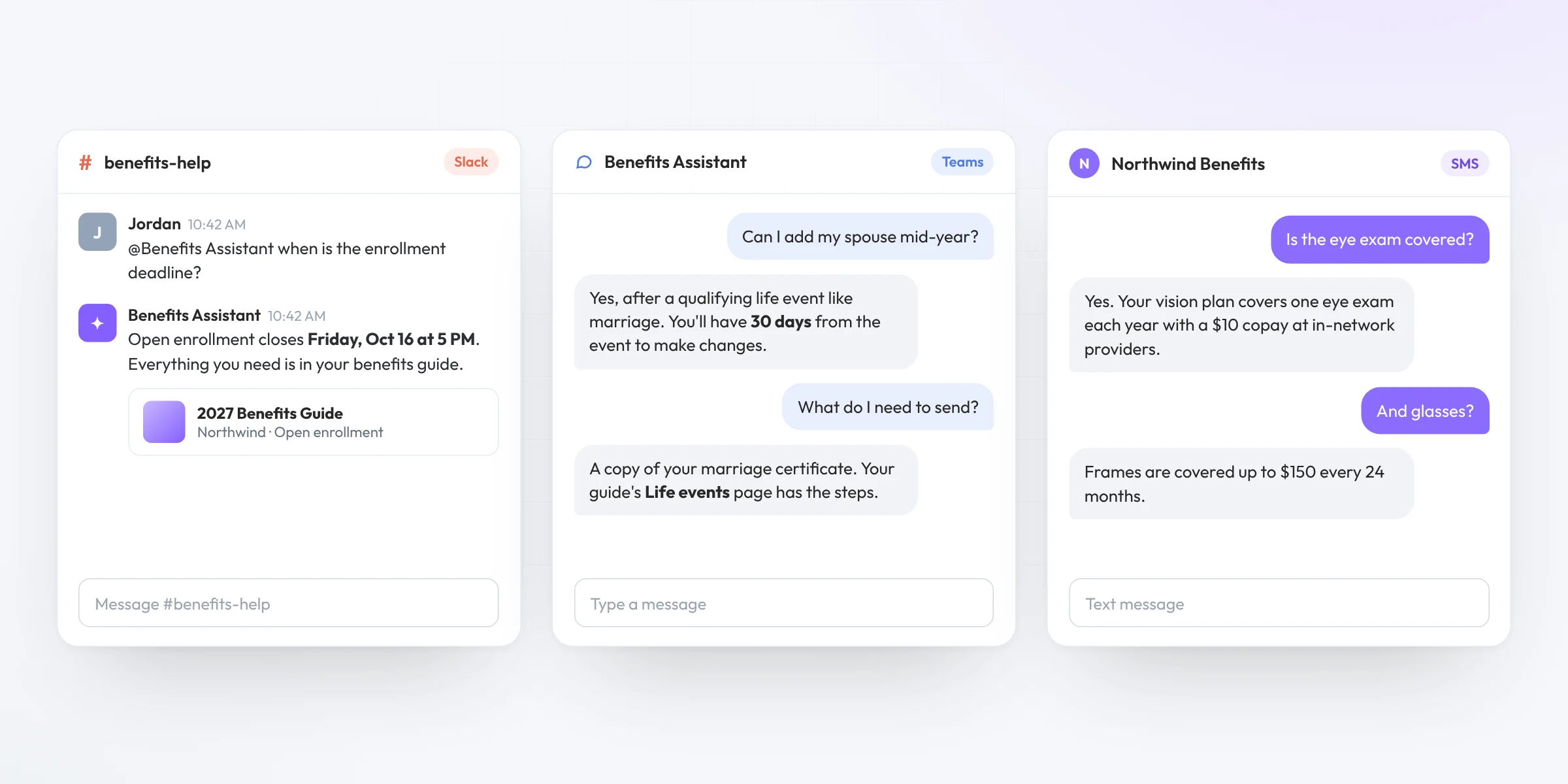
Ask on the web inside a guide or microsite, or through Slack, Teams, SMS and email.
For employees
The Assistant compares plans in tables, reads answers aloud, and answers about exactly what the employee is looking at.
Comparisons come back as tables, and any answer can be read aloud.
Employees highlight a sentence in the guide or hover over a plan card and choose Ask the Assistant. The selected text goes with the question.
Employees can upload a spouse's plan summary, an EOB or an HSA statement. The file is used only for that conversation and removed when it ends.
Ask which plan fits and the Assistant walks the employee through a few questions, then explains the result. Available where recommendations are turned on.
Benefit Guides
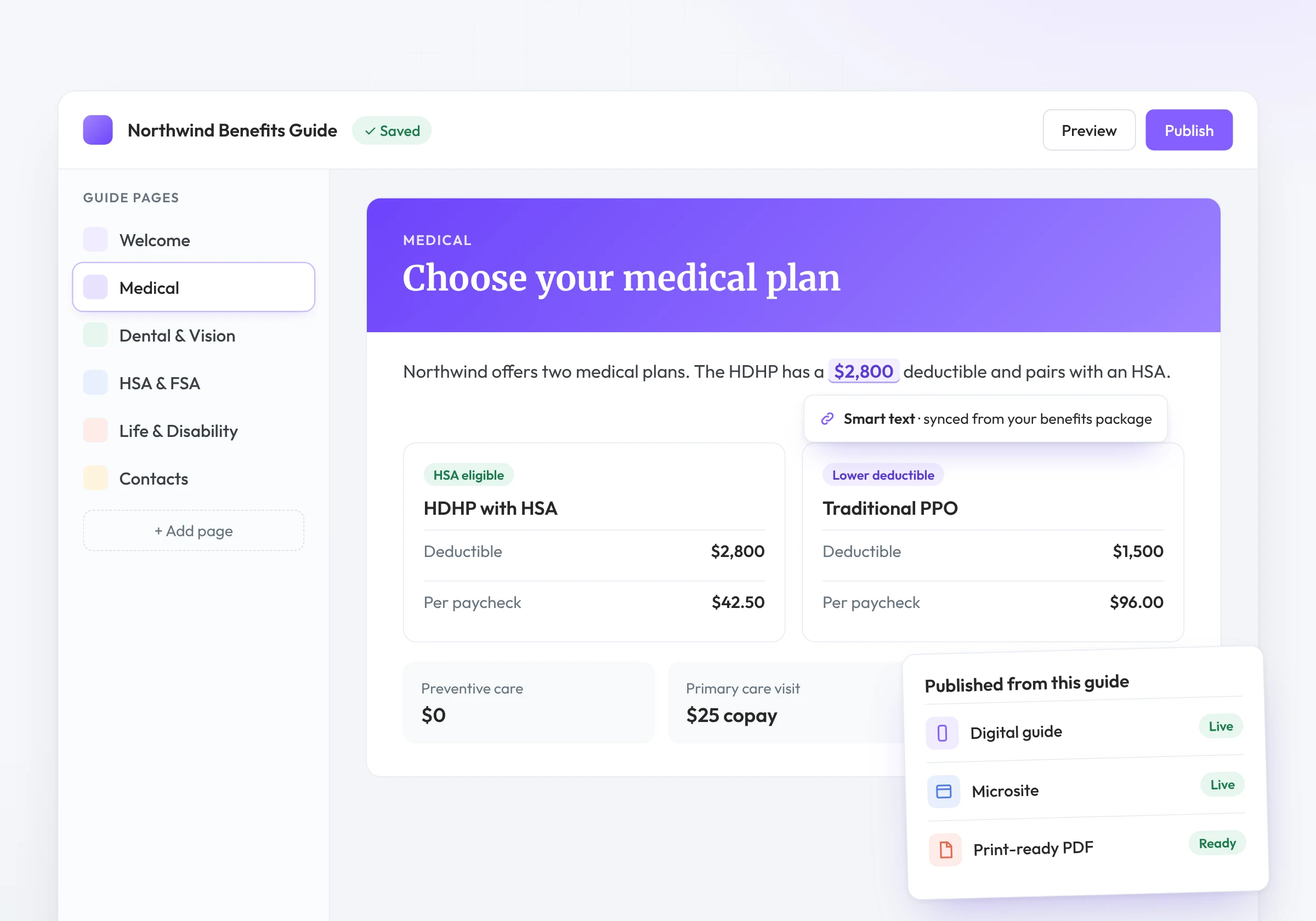
A guide explains the benefits. The Assistant answers the question in front of each employee, in the same place, so they never have to choose between reading and asking.
For HR and brokers
The Assistant takes the repeat questions and shows you what employees are asking.
Employees get an answer at 9pm during open enrollment, not the next business day.
See question volume, how employees react to answers and which topics keep coming up, with suggestions for where the guide needs fixes. It never identifies individual employees.
A side panel on desktop and a dedicated drawer on mobile that opens when the Assistant responds.
Open full exchanges, including the guide pages the Assistant drew from.
Built to be trusted
Clear sources, clear limits, and a clear handoff when a person is needed.
Every answer points back to its source.
Employees just ask, and nothing personal is collected.
Operational questions go to your team with a clear handoff.
Signs of distress lead to the EAP and crisis resources.
Who it’s for
Give every client an assistant that answers from their own plans, without adding work for your service team.
Repeat questions get answered in the guide, so your team can focus on the ones that need a person.
Ask the way they’d ask a coworker and get an answer about their own plans, any time.
Related features
The Assistant works across Brite. Explore the features it connects to.
Walk employees through enrollment page by page.
A year-round benefits hub with the Assistant front and center.
Plan recommendations that also run inside the Assistant.
See what employees open, read and click.
FAQ
An AI assistant that lives inside Brite Benefit Guides and microsites and answers employees’ benefits questions in plain language, using your own benefits content.
From the guide and benefits package you build in Brite. It’s designed to answer about your plans, not to pull from the open internet.
Yes. The Decision Tool runs inside the chat, step by step, and saves progress so employees can pick it back up days later. Results explain the answers that mattered most, compare the recommended plan with the alternatives, and cover what would change in different situations. It is available where the Decision Tool is turned on.
On the web inside guides and microsites, and through Slack, Teams, SMS and email.
Yes. The Questions Ledger shows question volume, how employees react to answers and which topics keep coming up, and suggests where the guide may need additions or fixes. It does not identify individual employees. Reviewers can also read full conversations, including the guide pages the Assistant drew from.
Yes. Employees can upload a spouse's plan summary, an EOB or an HSA statement. The file is used only for that conversation and is removed when it ends.
Any language Brite can translate into, including English and Spanish. Employees can have any response read aloud, or a single plan within a comparison, with pacing and pauses around numbers.
Yes. Employees can highlight a sentence in the guide or hover over a plan card and choose Ask the Assistant. The selected text goes with their question.
No login is required and the Assistant does not collect personal information. If someone shows signs of distress, it directs them to the EAP and crisis resources, and that conversation is not stored. The same applies if an employee shares something the Assistant should not have received.
Book a demo and ask it about a real benefits package.
Book a demo