
Every Brite guide and microsite comes with traffic and engagement analytics, plus dashboards you can share with clients and leadership.
What you can see
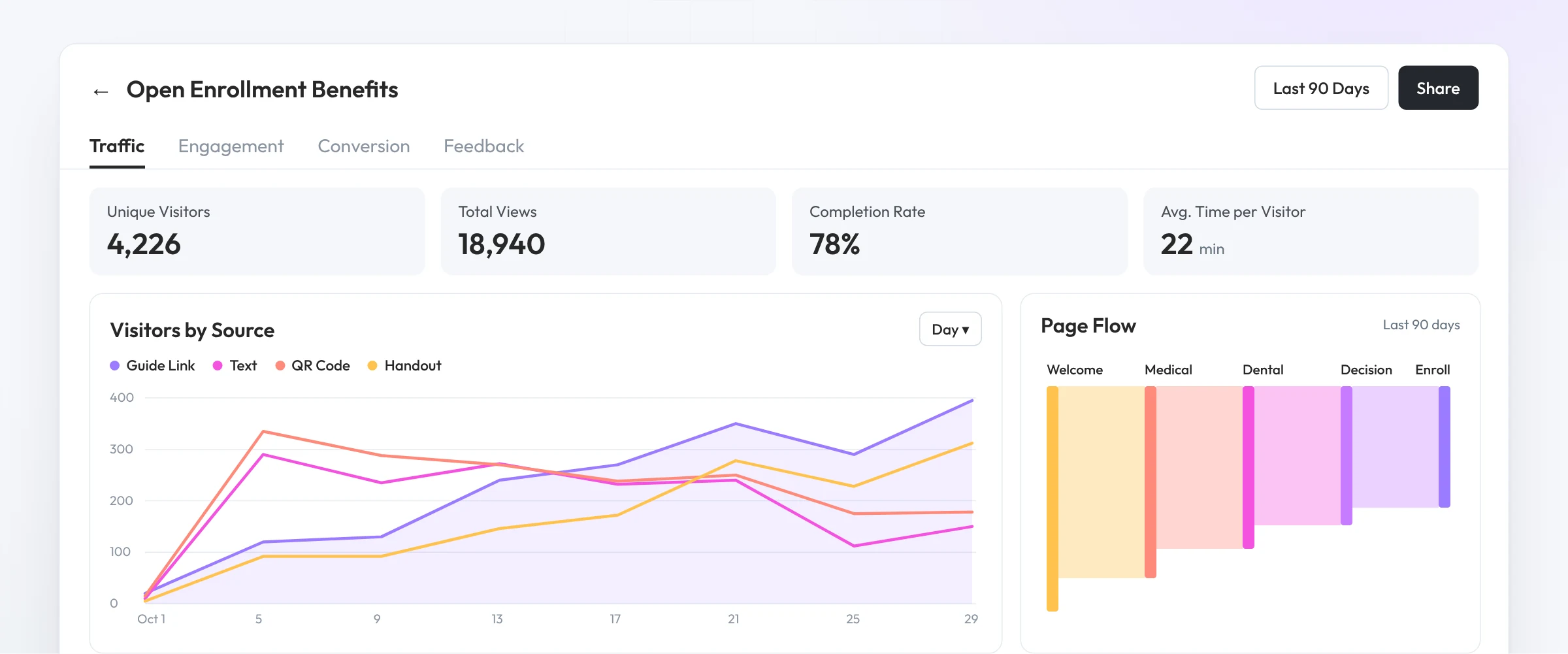
Analytics are built into every guide and microsite, so there’s nothing extra to set up.
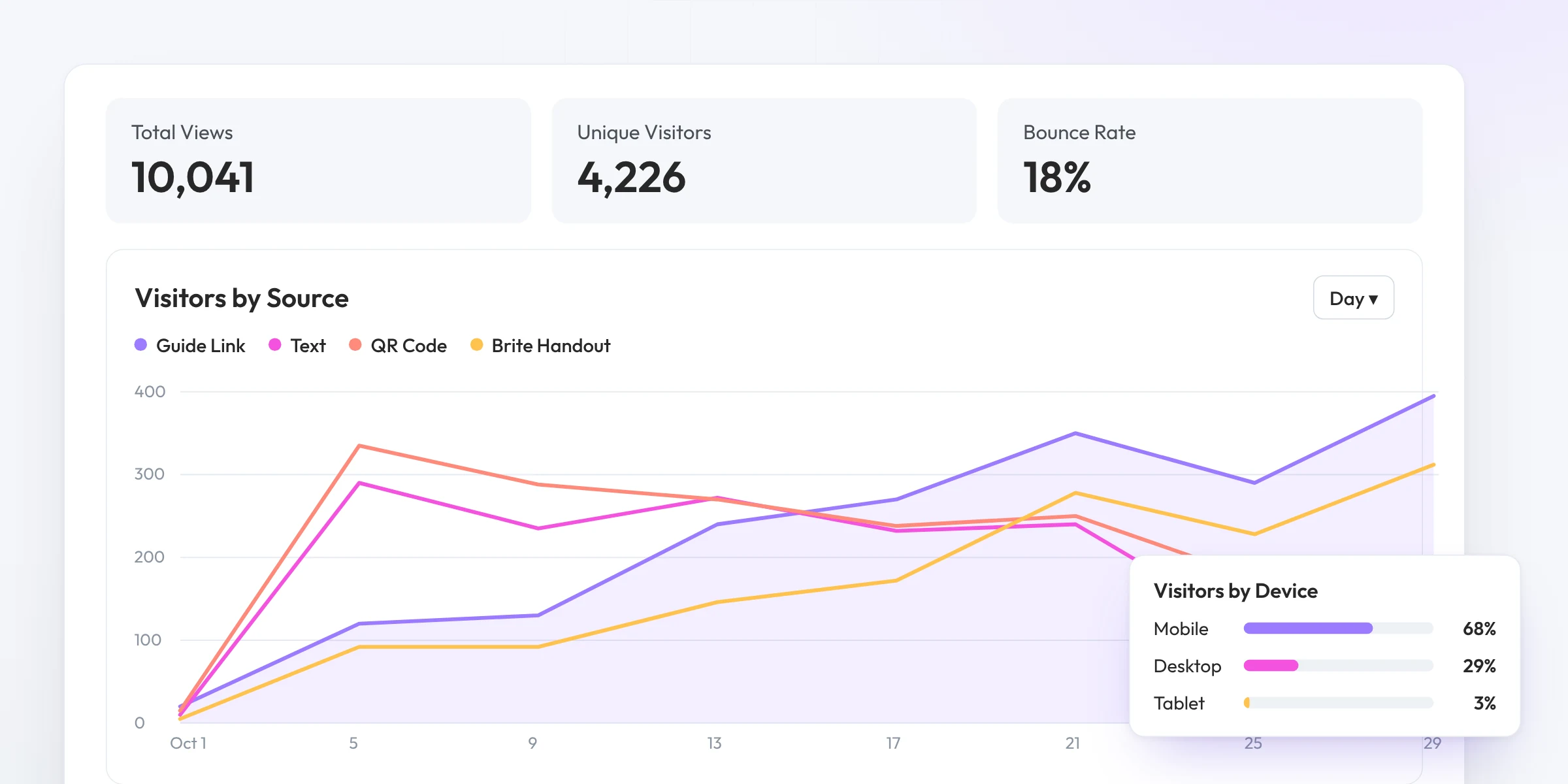
Total and unique visitors, page views, bounce rate and session length, by device, source and location.
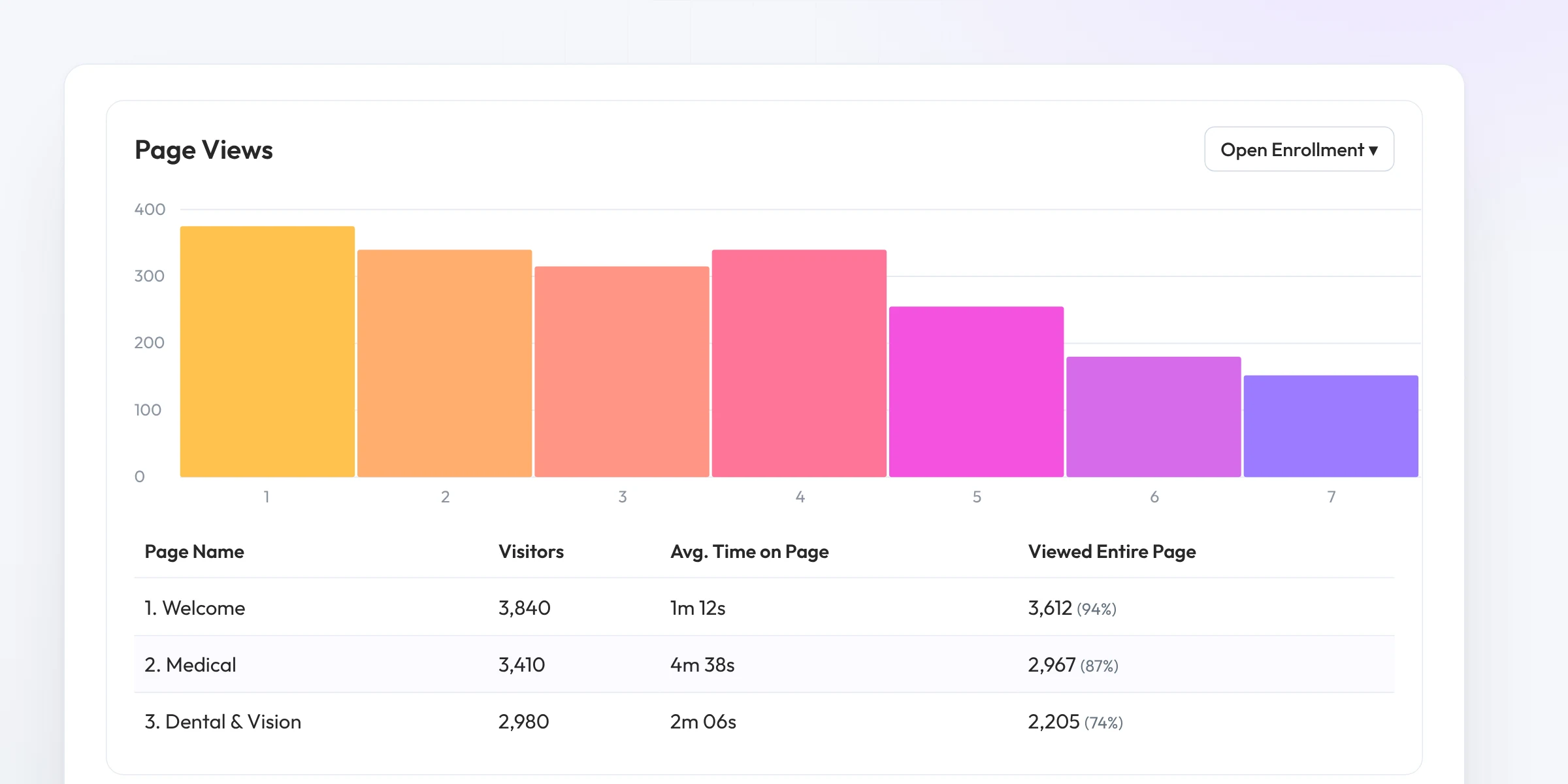
Time per visitor, completion rate, and views and time for every page, with drill-down.
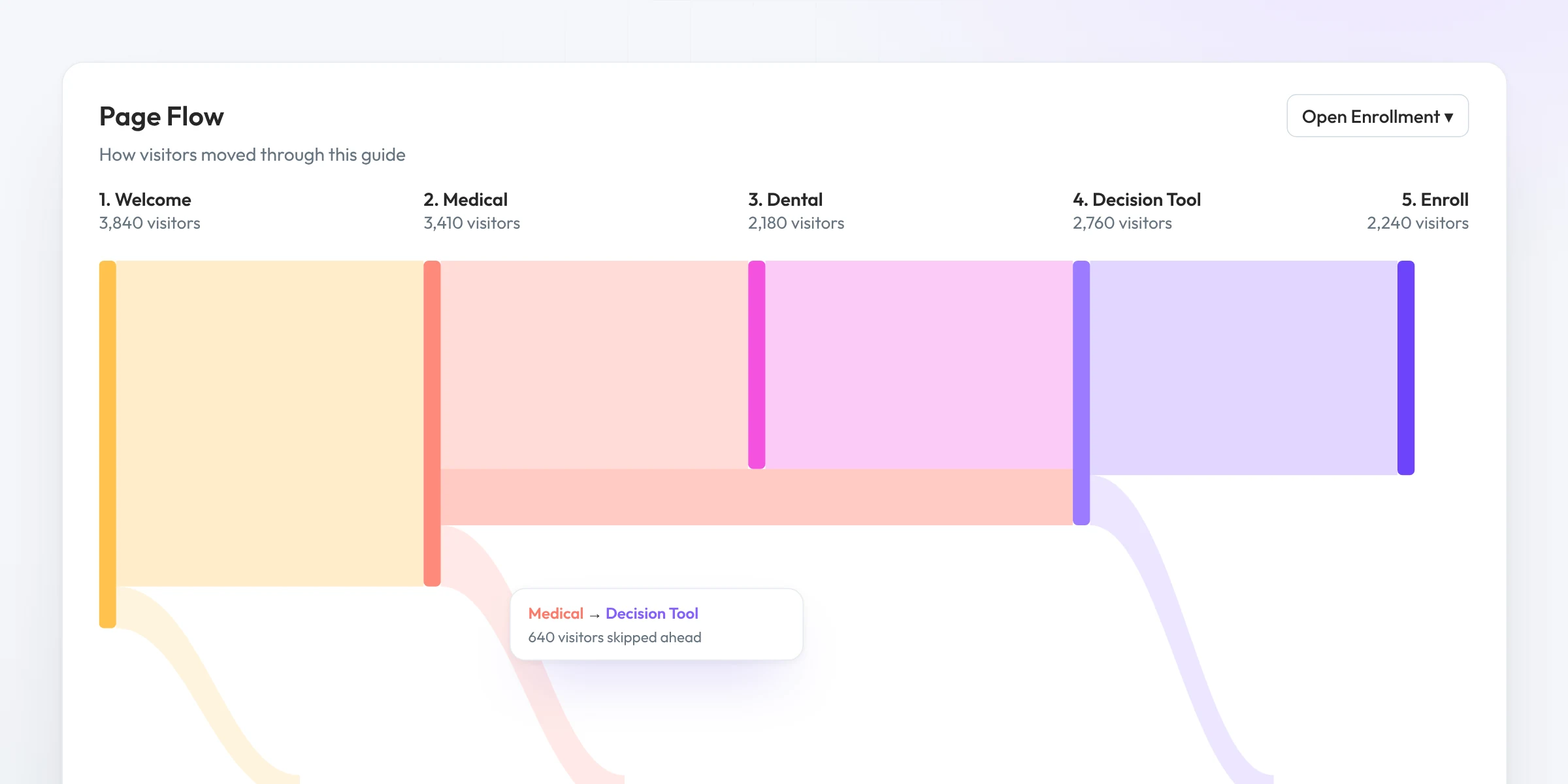
See the paths employees take, where they click through and where they drop off.
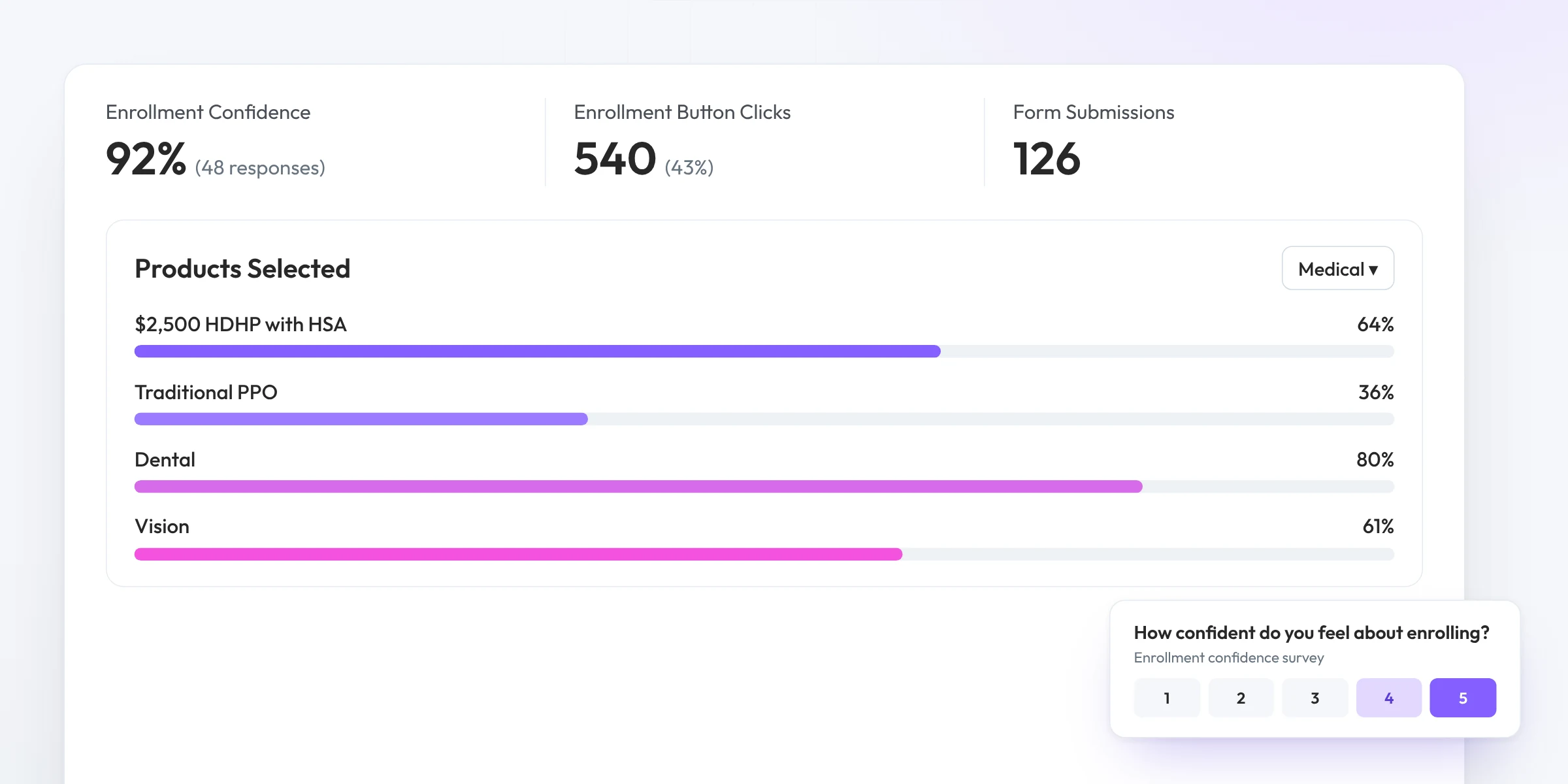
Track enrollment confidence surveys, product selections, button clicks and form submissions.
Enhanced Messaging
Schedule campaigns by email, SMS, Slack and Teams. Then track opens and clicks, and follow them into guide analytics to see what employees read next.
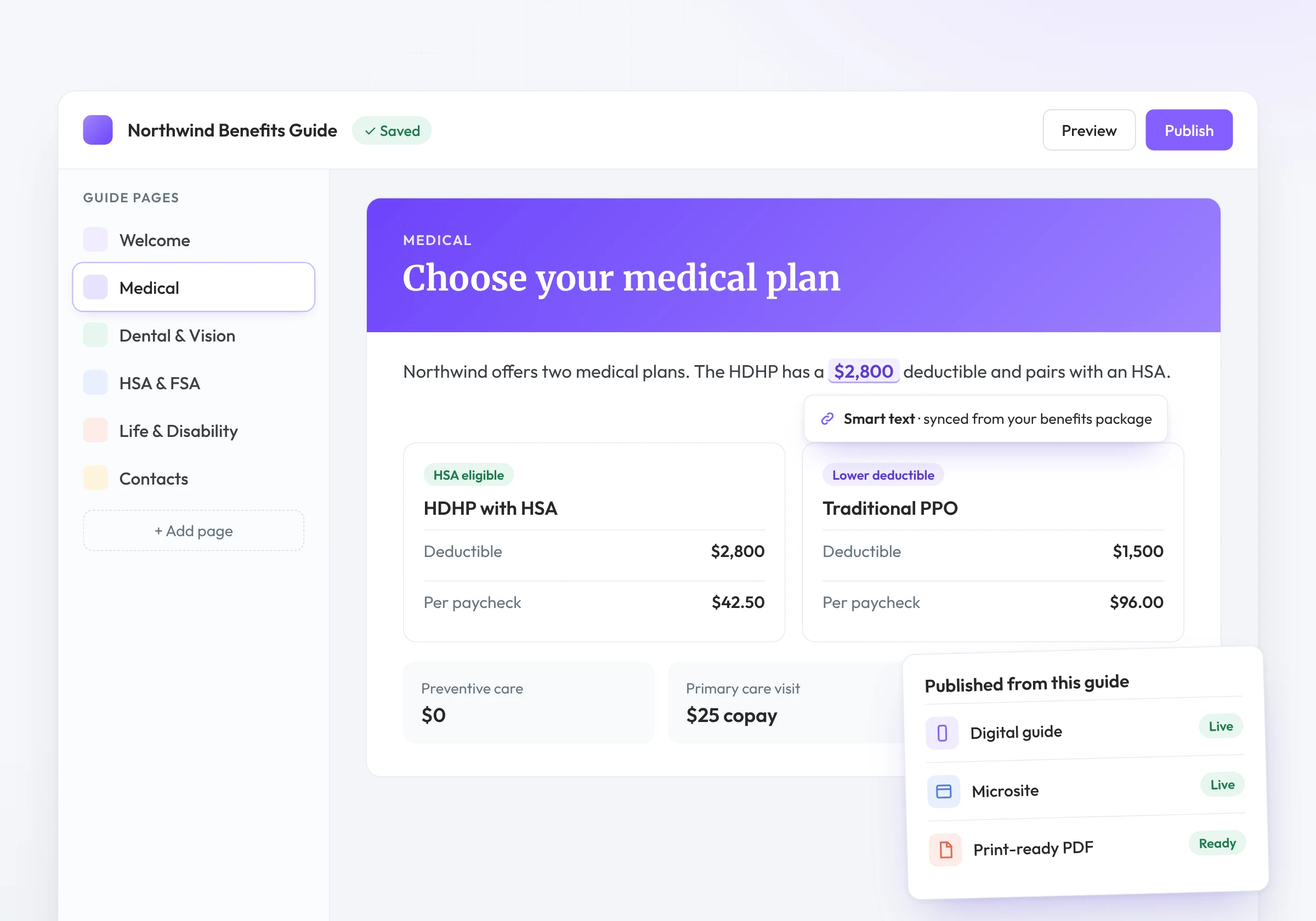
Beyond the guide
Follow employees from the message to the guide to the questions they ask.
Traffic, top pages, time on page and drop-off for your year-round hub.
See what employees ask the AI Benefits Assistant.
Opens, clicks and delivery for every Enhanced Messaging campaign.
Filter and sort guides to compare engagement across clients.
Who it’s for
Bring real engagement data to every client renewal conversation.
See where employees drop off and update the guide before the deadline.
Content that improves based on what employees actually read.
Related features
Analytics run across Brite. Explore the features they measure.
Walk employees through enrollment page by page.
Campaign opens, clicks and delivery for every message you send.
Answers employee questions from your own benefits content.
A year-round benefits hub with its own traffic and engagement data.
FAQ
Traffic (visitors, page views, devices, sources and locations), engagement (time per page, completion rate and page flow) and conversion events like product selections and button clicks.
Yes. Build a dashboard from multiple guides to see aggregate metrics, then filter and sort by guide.
Yes. Share a read-only dashboard link, public or private with an expiration date, or export to CSV or PDF.
Campaign opens, clicks and delivery live in Enhanced Messaging. Engagement Analytics covers what happens once employees open the guide or microsite.
Book a demo and see the engagement data behind a real Benefit Guide.
Book a demo